

LINZ, May 12, 2026 – Candera GmbH is proud to announce the release of Candera CGI Studio 3.16, the latest version of our HMI development software. Designed to support faster, smarter, and more flexible HMI development, this release expands Candera CGI Studio across the full workflow from design and validation to deployment. This release enables development teams to realize modern user interface concepts more efficiently while scaling across industries, hardware environments, and use cases.
“With Candera CGI Studio 3.16, HMI development gets smarter and faster, combining AI-assisted tools, flexible workflows, and broad platform support,” says Roland Winkler, Senior Product Development Manager at Candera.
Quick overview of the improvements in Candera CGI Studio 3.16:
Scene Composer UI/UX | Solution Templates & 3D | Engine & Platform Features |
• View Editor | • In-Vehicle Infotainment (IVI) | • iOS & Vulkan Support |
Scene Composer Improvements
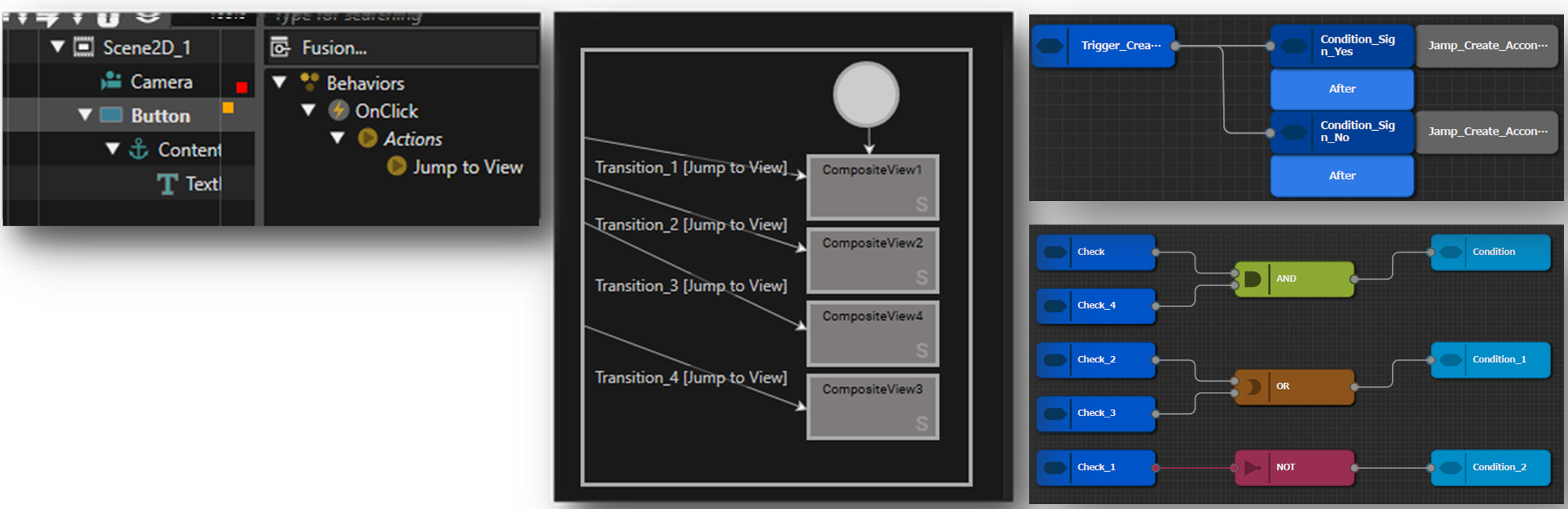
Candera CGI Studio 3.16 brings substantial improvements to the Scene Composer experience. The new View Editor makes it easier to configure automotive HMI workflows by allowing developers to preview Views, which are combinations of scenes, and manage transitions in a dedicated framework.
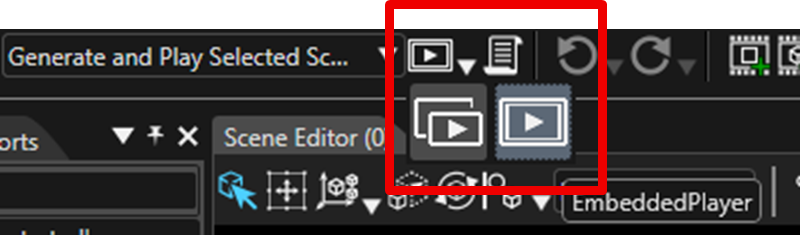
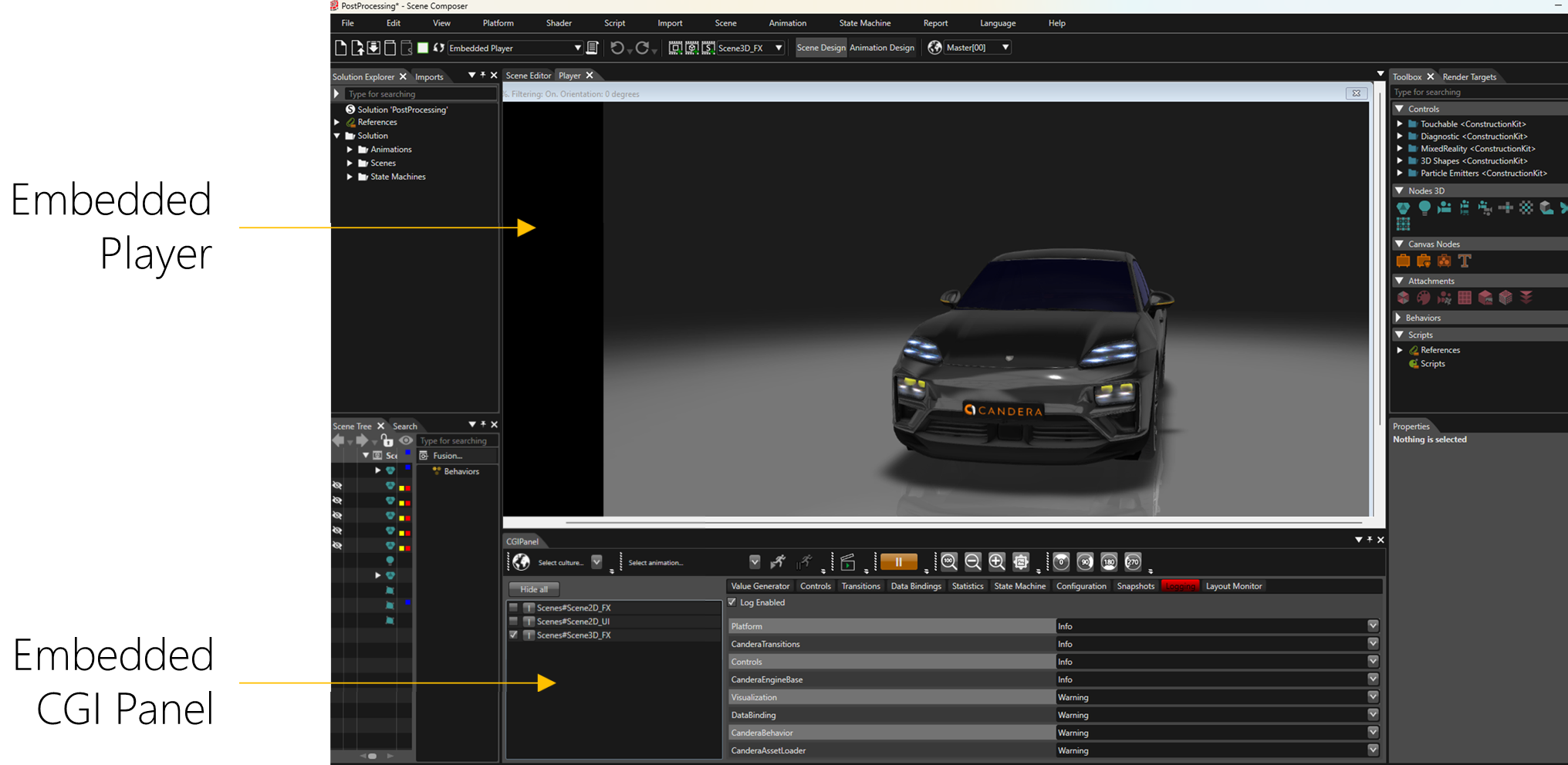
The new Embedded Player enables a seamless switch between design and runtime simulation directly inside Scene Composer, while the standalone Player remains available as an additional option.The Embedded CGI Panel is shown below the Embedded Player.
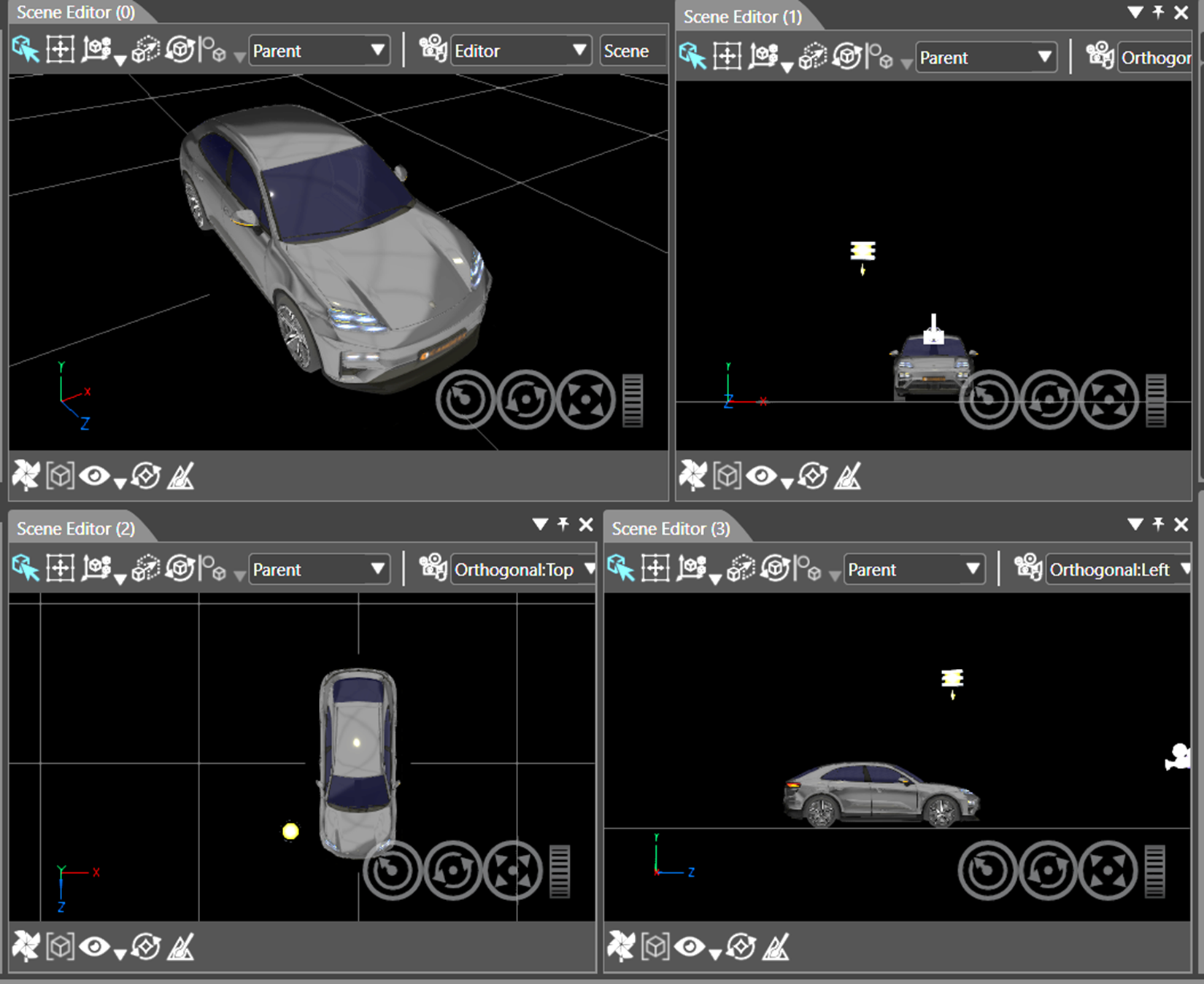
The Multi View in Scene Editor extends scene inspection with up to four synchronized editor windows and freely selectable camera angles, helping teams work more efficiently on complex 3D user interfaces. Users can switch instantly between single-view and the new multi-view.
Localization and documentation workflows are also significantly improved. Built-in XLIFF 2.0 support allows developers to import, merge, edit, and export localized text in the industry-standard XML-based format. This makes CGI Studio easier to integrate into professional localization toolchains.
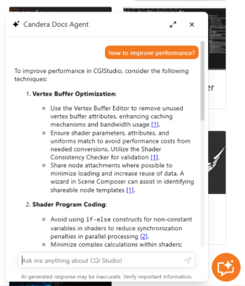
At the same time, the new AI Docs Agent provides direct assistance during development by delivering tailored answers in any language, helping users find information faster and reducing friction in daily work.
To make navigation even more efficient, the bot’s answers are directly linked to the relevant Candera CGI Studio documentation, allowing users to jump straight to the source of information.
Solution Templates and Advanced 3D
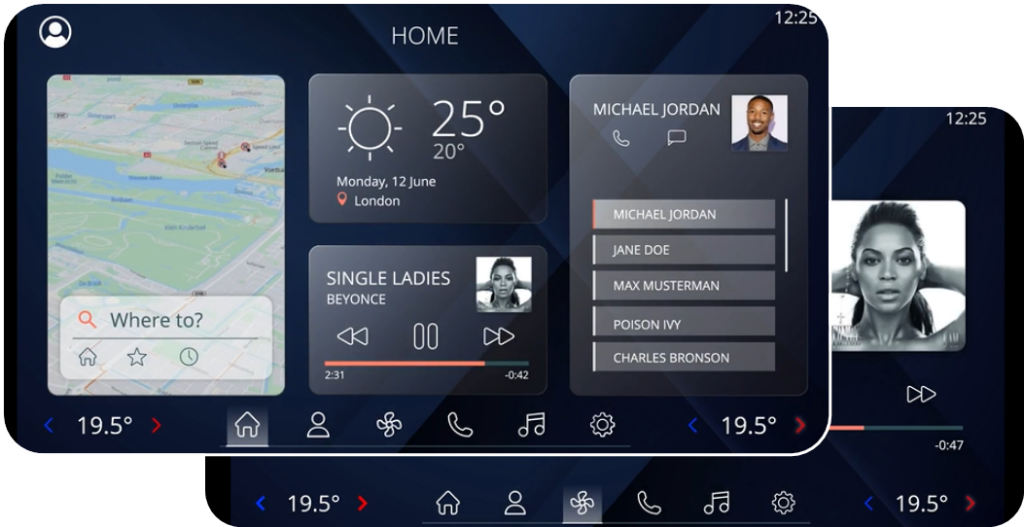
Another major highlight of Candera CGI Studio 3.16 is the expansion of ready-to-use solution templates for automotive HMI development. The new In-Vehicle Infotainment (IVI) Solution Template includes building blocks for navigation, weather, media, phone, HVAC, and digital twin scenarios. It supports both 2D and 3D use cases and includes advanced visualizations and custom application screens.
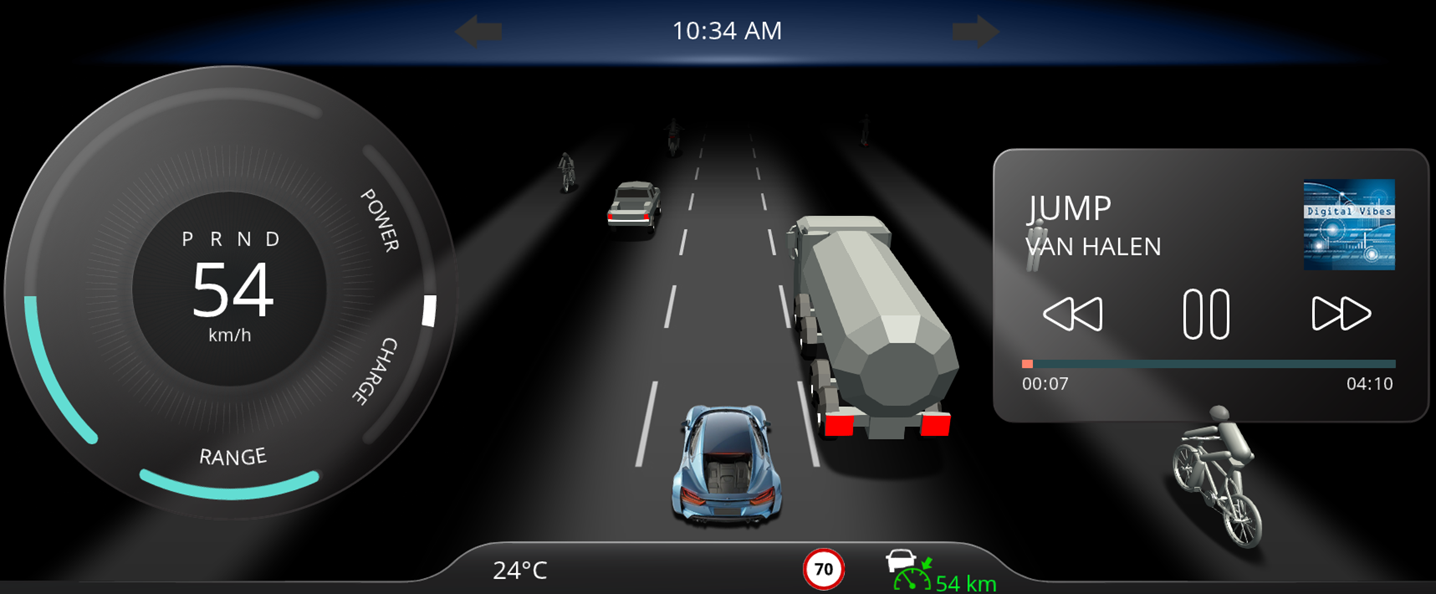
The new Instrument Cluster Solution Template integrates ADAS functions such as ACC, LDD, and side assist alongside essential dashboard elements like speed gauge, media, telltales, time, odometer, temperature, and turn-by-turn guidance. These templates help teams accelerate prototyping and shorten time to value.

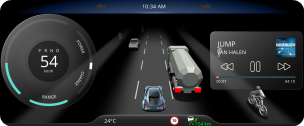

Candera CGI Studio 3.16 also strengthens its advanced 3D capabilities with full glTF 2.0 support and modern rendering extensions such as clear coat. Additional enhancements include HDR rendering with tone mapping and fully automated import of image-based lighting cube maps for global illumination. This allows developers to create richer, more realistic visual experiences for next-generation HMIs in automotive, industrial, and other embedded environments.
Engine and Platform Improvements

On the platform side, Candera CGI Studio 3.16 broadens deployment flexibility considerably. Native rendering support for Apple iOS allows developers to create Candera CGI Studio apps for Apple devices using Xcode and Metal.

Vulkan support adds a future-oriented graphics backend for modern 3D GPUs, improving CPU and GPU efficiency on Linux and Android platforms. These additions strengthen Candera CGI Studio’s position as a flexible solution for cross-platform HMI development.

A further milestone is the introduction of Software Rendering. Candera CGI Studio 3.16 can now run on platforms without a GPU, enabling platform-independent rendering on a broad range of targets, including ESP32-S3, ESP32-P4, Traveo II Body MCU, Raspberry Pi Pico, and all Linux-based systems. The renderer supports various transformations, blending, effects and reaches up to 60 FPS depending on platform and setup, while having low memory demands.
For Traveo II, the new release also introduces MJPEG streaming with native JPEG decoding on the GPU, enabling hardware-accelerated video and map streaming from mobile devices.
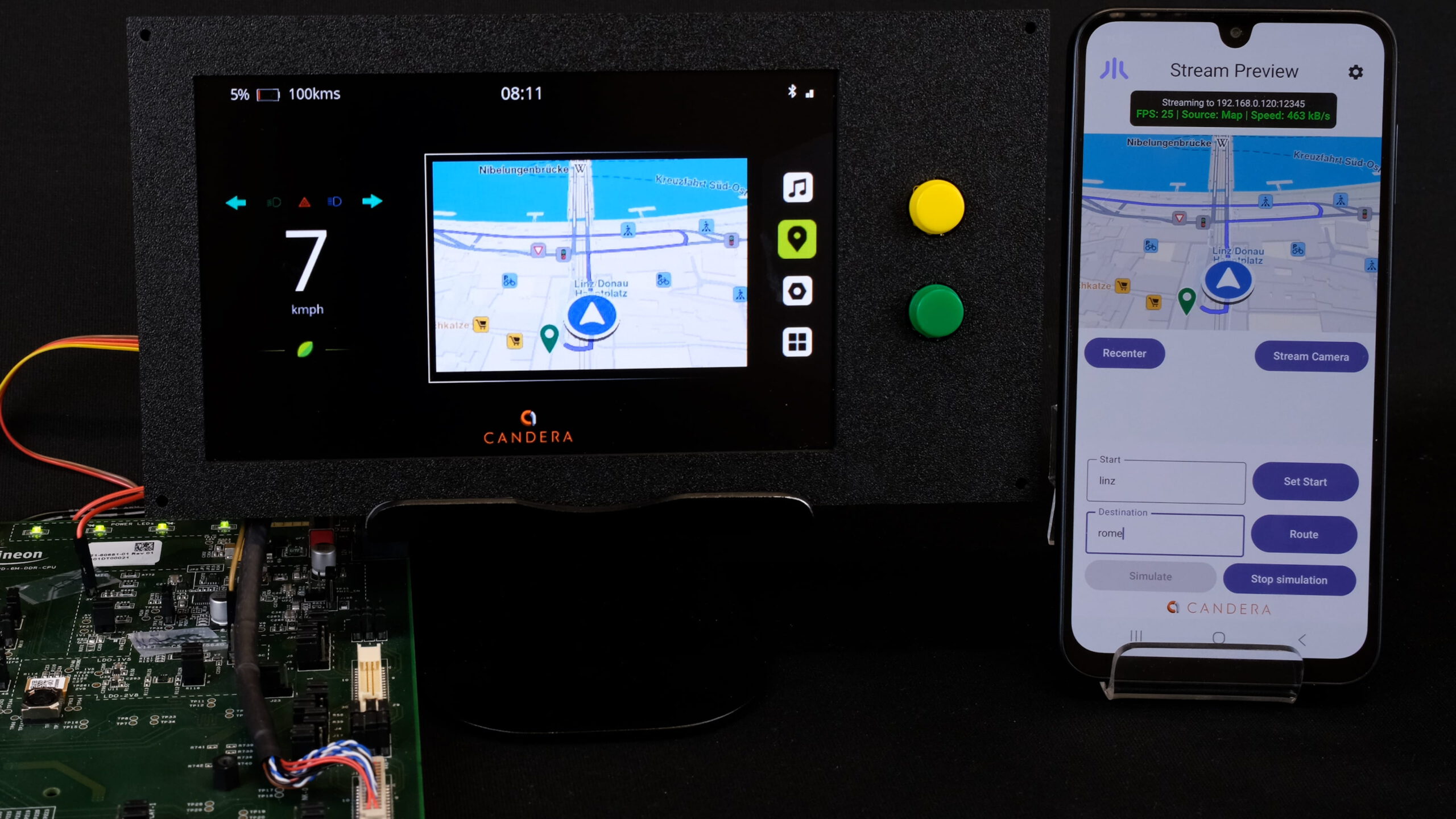


Additional engine optimizations complete the release. Candera CGI Studio 3.16 supports the new Monotype Spark Engine with low footprint and high performance and includes updated Freetype and Harfbuzz versions with major cache improvements.

Candera CGI Studio 3.16 streamlines behavior configuration through automatic code-size optimization via SC plugin and CMake. These enhancements help developers reduce memory footprint, improve performance, and simplify project configuration.
Want to test the improvements yourself?
Request a free trial version of Candera CGI Studio.
About Candera:
Candera is a pioneer in the field of HMI design software, offering innovative solutions for the automotive industry, wearables, medical, and household appliances. With a focus on user-centric design and cutting-edge technology, Candera continues to set the standard for HMI software development. For more information, please visit www.candera.eu
Candera Confidential & Copyright 2025
Learn more about Candera CGI Studio: